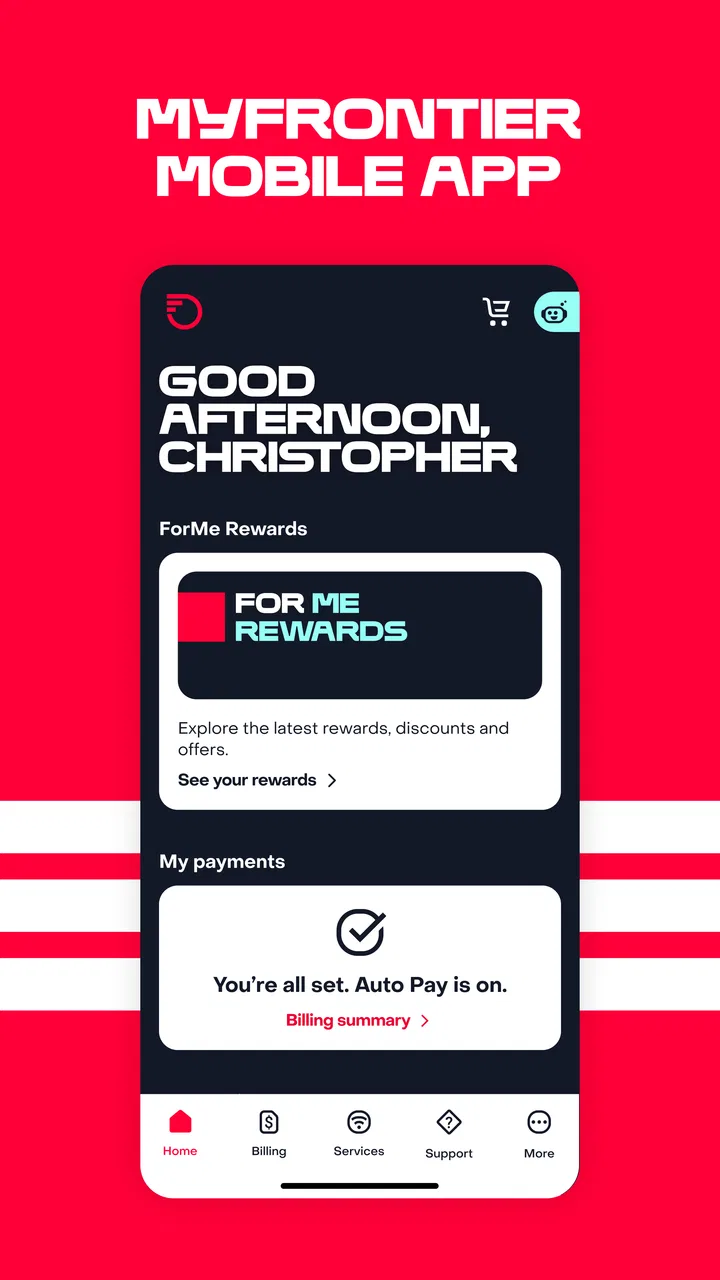
MyFrontier
- 4.5
- Rating
- 1.00M
- Installs
- Free
- Price

 Analysis by App-foxy
I tend to judge account-management apps less by their first impression than by what happens after the initial setup. A utility can feel convenient on day one and still become unnecessary once the novelty disappears. MyFrontier takes a more practical route: it is a free communication app from Frontier - A Verizon company, designed to let customers handle their Frontier account while away from a computer. After spending time with it, I see its main value in reducing small bits of account friction rather than trying to become an app I would open for entertainment or daily social contact.
That distinction matters. If you already use Frontier services and occasionally need to check account details, deal with billing, or manage service-related tasks, MyFrontier can earn a permanent place on your phone. If you are not a Frontier customer, there is no meaningful reason to install it. It is also not a replacement for a general messaging app, a carrier-neutral support tool, or a full personal-finance application. Its usefulness is closely tied to having a Frontier account and wanting a mobile route into it.
What the first week feels like
During the first week, the appeal is easy to understand. Instead of waiting until I am near a desktop browser, I can reach for my phone when an account question comes up. That is particularly useful when I am away from home, when a paper bill is not nearby, or when I want to deal with a service matter at the moment I remember it. The app’s purpose is narrow, but that narrowness can be a strength: I do not have to search through unrelated tools to find a Frontier account function.
You May Also Like

 Blood Strike: 2.5 Anniversary
Blood Strike’s Loadouts Turn Every Drop Into a Tactical Gamble
A close look at Blood Strike’s custom loadouts: how fast access to signature weapons reshapes its battle royale rhythm, rewards preparation, and narrows the gap between fights.

 Pandora - Music & Podcasts
Pandora’s Music Is Easy to Start, but Harder to Recover
Pandora’s strength is its low-effort path from a seed to a station. Its weak spot is how much confidence it asks you to place in connection, setup, and quiet recovery.

 8 Ball Pool
 Is Built on Rivalries, Rematches, and Routine
A close look at the rivalries, rematches, shared routines, and unanswered safety questions that turn a quick pool match into a persistent mobile community.

 Samsung Music
’s Quiet Strength Is Playing What You Already Own
Its reach comes less from spectacle than from dependable access to a personal library. That simplicity is both the app’s strongest retention engine and its ceiling.

 AccuWeather: Weather Radar
AccuWeather Review: A Quick, Clear Forecast for Everyday Decisions
For everyday plans, the best forecast is the one you can understand quickly. AccuWeather makes rain timing, radar, and local conditions easy to act on, with a few trade-offs.

 Hill Climb Racing
Why Hill Climb Racing Still Turns Crashes Into One More Run
A tiny car, a bumpy hill and one more upgrade: Hill Climb Racing keeps resurfacing because its simple chaos makes every near-miss feel personal.
More From Our News Desk



The app belongs in the communication category, although I would think of it more as a customer-account companion than as a communication platform in the usual sense. Its job is connected to the relationship between a customer and Frontier. That makes the experience most relevant to people who want a quick mobile checkpoint for their service account, rather than people looking for conversations, group chats, or a shared inbox.
One useful first-week habit is to open the app when a service or billing question is still fresh, rather than postponing it until the end of the month. That small change can make account management feel less like a separate chore. I found this more practical than installing the app and expecting it to create value automatically. The benefit comes from using it at the exact moment an account task appears.
The app is free, carries an Everyone content rating, and supports devices running Android version seven or later. Those details make it approachable for a broad range of Android users, including people who are not using a recent phone. I would still treat compatibility as something to check before changing devices, especially if an older handset is important to your household, but the minimum operating-system requirement is not especially demanding.
Frontier’s app has also had time to mature since its release on May 14, 2015. The current version is 4.32.0, which suggests that this is not a newly launched experiment that may vanish after a brief trial. That history is reassuring for an account tool, because continuity matters more here than novelty. I want a utility like this to remain available when I need it months later, not merely look polished during installation week.
A realistic everyday use case
Imagine noticing an account question while commuting or while staying with family. I might remember that I need to review a charge, check an account detail, or handle a service-related matter, but I do not want to wait until I am back at a laptop. In that situation, the phone app gives me a more direct starting point. The important advantage is not that the task becomes exciting; it is that the task can be addressed before it turns into another forgotten item.
For a household where more than one person deals with the internet or phone account, that convenience can be even more useful. One person may be near the account paperwork while another is away from home. A mobile account tool reduces dependence on a single computer or on whoever happens to remember the login routine. I would still be careful about sharing account access casually, but the app fits households that need occasional access from a personal device.
My first-week recommendation is to learn where the actions you use most often are located, then stop exploring once the app has become familiar. This is not an app that rewards endless browsing. The practical win comes from shortening repeated tasks. If I have to rediscover the same path every time, the app loses much of its advantage over opening Frontier’s account experience in a browser.
Why it can remain useful month after month
The lasting value of MyFrontier depends on recurring account needs. I would not expect to open it every day, and I do not think daily use is the correct measure for this kind of product. A good account app can be valuable precisely because it is quiet most of the time and available when something needs attention. Its success is measured in avoided delays, fewer searches for account information, and a smoother response to routine service questions.
That makes the app a better fit for maintenance-minded users than for people who want a feature-rich mobile experience. I like the idea of having one known place for Frontier-related tasks instead of relying on browser bookmarks, old emails, or memory. Over time, this can become a small household habit: open the app when checking the account, finish the task, and close it. The routine is simple enough to last because it does not demand much attention.
There is also value in using the phone as a timely reminder. If I think of an account issue while I am already holding the device, I am more likely to deal with it immediately. That can be more effective than telling myself I will remember later. The app does not need to be opened frequently to influence behavior; it only needs to be available at the right moment.
Its audience is reflected in its broad adoption. MyFrontier has passed one million installs, with an average rating of 4.5 from roughly seventy-eight thousand ratings and about thirteen thousand written reviews. I do not treat those figures as proof that every customer will have the same experience, but they do indicate that the app has become a familiar option for a substantial group of users. The combination of a strong average and a large rating base gives me more confidence than a high score based on a tiny audience.
Still, I would not install it simply because it is popular. The recurring value is conditional. Frontier customers who manage their accounts only once or twice a year may find a mobile browser sufficient. Someone who prefers handling all provider matters through a desktop may also see little benefit. The app earns its space when mobile access changes your behavior, not when it merely duplicates a route you never use.
Where the app beats the usual alternatives
The most obvious alternative is opening Frontier’s account experience in a mobile browser. A browser can be perfectly adequate, especially for a one-time task, and it avoids adding another installed app. MyFrontier makes more sense when I expect to return to the same account environment repeatedly. A dedicated app is easier to find than a forgotten browser tab, and it feels more intentional for customers who handle service matters from their phone.
The second alternative is using email, paper records, or customer-support conversations as the main account system. Those methods can help with specific issues, but they are less convenient for routine self-service. Email searches may surface old information without showing the current account context, while paper records can become outdated. MyFrontier is better when I want to begin with the account itself rather than reconstructing the situation from scattered messages.
On the other hand, a browser may be better for someone who uses several providers and wants to keep everything in one place. Installing a separate app for every utility can create clutter. I would also prefer a browser when I am using a shared computer, comparing information across multiple tabs, or completing a task that feels easier with a larger screen. MyFrontier is convenient, but convenience is not the same as universal superiority.
The maintenance burden is small, but not zero
Account apps require a different kind of maintenance from social or entertainment apps. I do not need to feed them content, build a profile for an audience, or check them for new posts. The main burden is remembering that the app exists, keeping access details available, and updating it when a newer version is offered. For a utility, that is a manageable commitment, but it still matters if your phone is already crowded with rarely used applications.
I would keep notifications and account habits focused rather than allowing the app to become another source of background noise. A useful account tool should help me respond to real needs, not encourage unnecessary checking. If I find myself opening it without a clear purpose, I would reconsider whether it deserves to stay installed. Its long-term role should be deliberate and occasional.
There is a practical trade-off between convenience and concentration. A dedicated app makes Frontier easier to reach, but it also separates Frontier from other household accounts. If I am trying to review several monthly expenses together, a browser or budgeting workflow may provide better context. MyFrontier is strongest for Frontier-specific actions; it is weaker as a complete overview of a household’s communications spending.
Another maintenance consideration is account access. Because this is tied to a Frontier account, the app is only as useful as the login process and the account information behind it. I would make sure the account holder knows which credentials are being used and avoid treating the app as a substitute for keeping important account records organized. The app can simplify access, but it cannot remove the need for basic account hygiene.
Where long-term fatigue can appear
The first source of fatigue is repetition without enough frequency. If I only need to perform an account task occasionally, opening a dedicated app can feel like an extra step rather than a shortcut. A browser may be faster when it is already open, and some users will not want another icon occupying their home screen for a service they rarely think about.
The second is the narrow scope. MyFrontier is not designed to be a broad communications hub, and I would not judge it by the standards of a messaging app or a full customer-service suite. That focus keeps the purpose clear, but it may disappoint users who expect one application to handle every interaction with a provider, explain every technical issue, and replace all support channels. I see it as an account-management entry point, not a universal solution.
A third source of frustration is the difference between account access and problem resolution. A mobile app can help me start a task, review an account area, or manage routine details, but a complicated service problem may still require a more involved support process. That is not a unique failure of MyFrontier; it is a limitation of trying to compress provider support into a phone screen. I would install it for convenience, not because I expect every difficult issue to become simple.
There is also a psychological fatigue that affects all provider apps: the app is useful when something needs attention, but it may remind me of bills and service obligations when I would rather not think about them. I prefer tools that stay in the background until needed. For me, that means keeping the app in a utility folder rather than placing it beside the apps I use constantly. This arrangement preserves access without making account administration feel like a daily activity.
Users who are especially privacy-conscious may also want to think carefully about whether a dedicated provider app fits their habits. I would review the app’s current permission requests and account practices directly on the device before installing, because those details can change with updates. I would not assume that an app is right for me merely because it is free. The real question is whether the convenience of mobile account access justifies adding another provider-specific application to my phone.
Who should install it, and who should skip it
I would recommend MyFrontier to Frontier customers who regularly manage an account from a phone, travel away from home, share household responsibilities, or tend to postpone service tasks until they are near a computer. It is also suitable for people who want a straightforward, dedicated place to begin account-related work instead of searching through browser history.
I would skip it if I am not a Frontier customer, if I almost never need account access, or if I strongly prefer using a desktop for every provider task. I would also skip it if my main goal is messaging, general communication, or managing several service providers in one neutral dashboard. In those cases, another type of tool is a better match, even if MyFrontier itself is well maintained.
For someone deciding between the app and a browser, my rule is simple: choose the app when repetition and immediacy matter; choose the browser when the task is rare or when you need to work across several sites at once. That trade-off answers the most important practical question. You do not need the app merely to be a Frontier customer, but you may appreciate it if mobile access removes a recurring obstacle.
My long-term verdict
After the first-week appeal fades, MyFrontier remains useful for a specific reason: it turns Frontier account management into a reachable phone task instead of a task reserved for a desktop session. That is modest value, but modest value can be durable when it solves a problem that returns throughout the year. I would keep it installed if I were a Frontier customer who handles account matters from a mobile device.
The app’s free price, Everyone rating, long release history, current version 4.32.0, and availability for Android version seven or later make it an accessible utility rather than a risky experiment. Frontier - A Verizon company is the developer, and the app’s established user base gives it the feel of a continuing service tool. Those points do not guarantee a perfect experience, but they support the idea that it is intended for ongoing account use rather than a short-lived promotional download.
My strongest reservation is that its value can be easy to overestimate. It will not replace a browser for every situation, a larger screen for every complicated task, or a broader tool for managing multiple providers. It also may not justify installation for customers who rarely interact with their account. The app earns lasting space only when its dedicated access changes how quickly and consistently you handle Frontier matters.
My recommendation is practical rather than enthusiastic: install it if Frontier account tasks are part of your regular mobile routine, then judge it by the time and effort it saves over the next few billing cycles. If it becomes the place you naturally go when a question comes up, it has earned its place. If you keep forgetting it exists and the browser works just as well, removing it is a reasonable choice. For the right customer, MyFrontier is not exciting, but it is dependable in the way a good utility should be.
FAQs for MyFrontier
01What is MyFrontier used for?
MyFrontier is designed to provide Frontier customers with easy access to their account management tools. Users can view their billing information, manage their internet services, and access customer support directly from the app. It's a convenient way to handle all your Frontier account needs in one place.
02Is MyFrontier available for both Android and iOS?
Yes, MyFrontier is available for download on both Android and iOS platforms. Users can find the app on the Google Play Store for Android devices and the Apple App Store for iOS devices. This ensures that a wide range of users can access its features regardless of their device type.
03Does MyFrontier offer any customer support features?
Absolutely. MyFrontier provides users with direct access to customer support. This includes the ability to chat with representatives, troubleshoot common issues, and access a library of FAQs. The app aims to make resolving any service-related problems as smooth as possible for users.
04What kind of account management features does MyFrontier provide?
MyFrontier offers a variety of account management features. Users can view and pay their bills, check their usage statistics, and update their personal information. The app also allows users to manage and customize their internet services, making it a comprehensive tool for Frontier customers.
05Are there any costs associated with using MyFrontier?
The MyFrontier app itself is free to download and use. However, users should be aware that standard rates for internet service and any applicable fees from Frontier still apply. The app is meant to enhance the management experience, without adding additional costs.
Pros
- User-friendly interface for easy navigation.
- Real-time flight status updates.
- Quick access to boarding passes.
- Efficient customer support chat feature.
- Customizable notifications for flights.
Cons
- Limited offline functionality.
- Frequent ads can be distracting.
- Occasional login issues reported.
- Some features require premium access.
- Slow loading times in peak hours.

MyFrontier
Gallery